
Reclaim margin for ministry.
Ministry Margin makes Apple-native tools for church leaders that use Planning Center.
See what needs attention, find the person you are looking for, or pray for the people in your care.
These tools do not replace Planning Center. They work alongside the information, databases, and workflows your church has already built, giving pastors and church staff a calmer working layer for the weekly details that need attention.
Preparing to launch in late July 2026 for Mac and iPhone.
Sunday is always coming.
Church staff carry a lot each week: service plans, volunteer follow-up, people lists, calendars, blockouts, reports, prayer requests, and the next Sunday that is already on its way.
None of that is the heart of ministry. But all of it is work that keeps the work going, and it often cuts across tools, tabs, people, memory, and time.
Ministry Margin was built to help answer ordinary church-week questions: Who still needs follow-up? Who is unconfirmed for Sunday? What is the best way to reach this volunteer? Who did I say I would pray for?
SEE
See what needs attention.
Start the week with a clearer picture of upcoming plans, open spots, blockouts, people, and ministry details that need follow-up.
FIND
Find the answer without the hunt.
Find the service, person, report, or prayer request you need without digging through more interface than the task requires.
CARE
Keep ministry connected to people.
Names in a database represent people to know, serve, contact, pray for, and care for. Ministry Margin is built to keep that connection close.
An Apple-native way to work with your Planning Center data.
Ministry Margin connects to the Planning Center account your church already uses and gives that data a focused, native, and local place to work on Mac and iPhone.
It does not ask your church to move systems, migrate records, or replace the tools your team depends on. Think of it as a simpler working layer for the ministry details you already manage every week.
Your Planning Center account
You sign in with the account your church already gave you.
Your existing permissions
Ministry Margin only shows the Planning Center data your account is already allowed to access.
A focused ministry workspace
Work with services, people, calendars, blockouts, reports, prayer, and weekly details in one calmer Apple-native surface.
Ministry Margin for Mac.
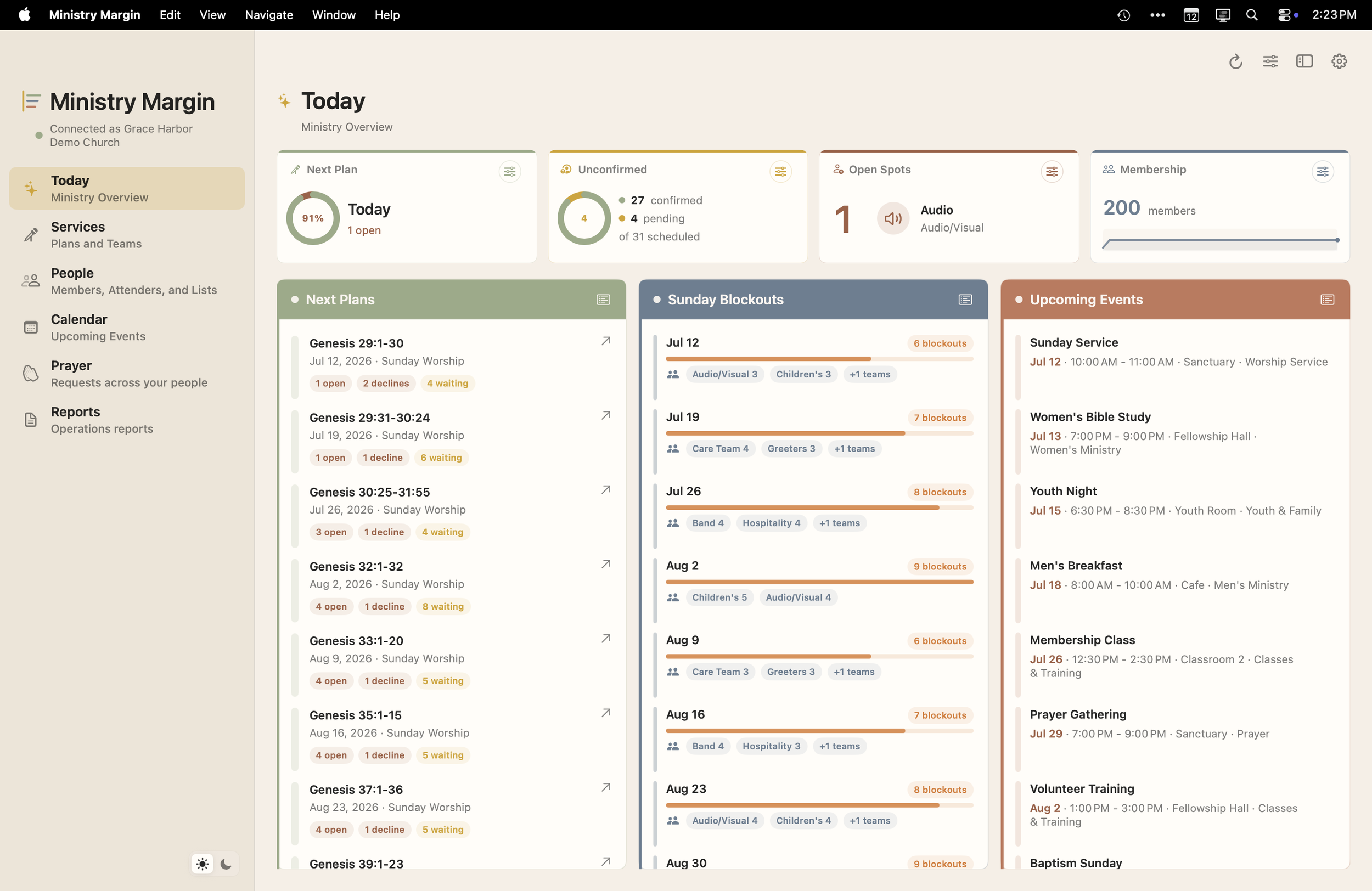
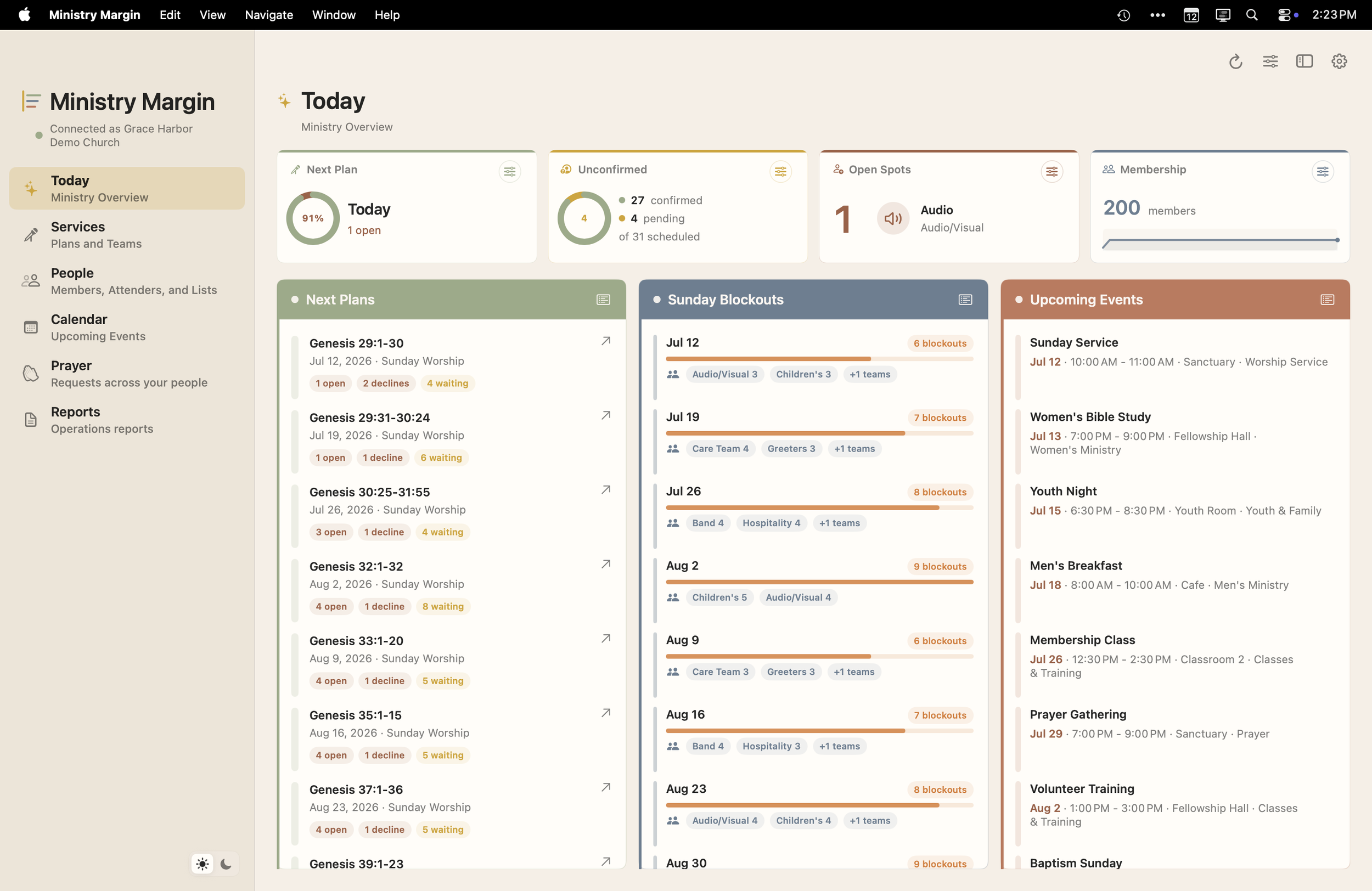
The flagship Mac app is a native workspace for the Planning Center tasks your week depends on. Use it when you are at your desk planning services, reviewing people, checking calendars, managing blockouts, pulling reports, and keeping prayer connected to care.
Start in Today to see what needs attention, then move into focused workspaces when the week needs a deeper look.
Today
Upcoming plans, open spots, blockouts, people signals, events, and details that need attention.
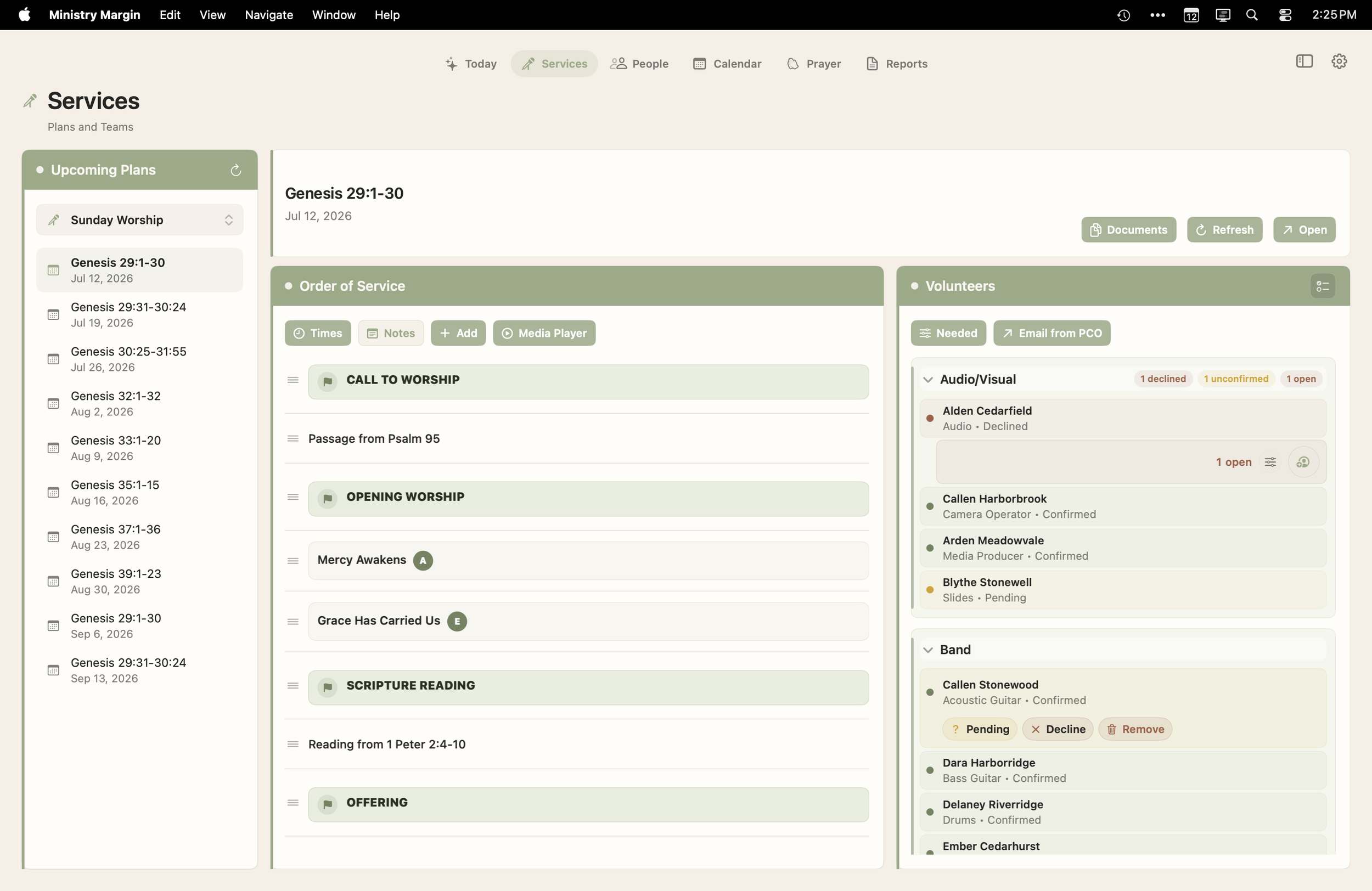
Services
Plans, teams, volunteers, needed positions, songs, files, service orders, MP3 streaming, and order-of-service details. A simple planning evvironment with everything you need and nothing you don't.
People
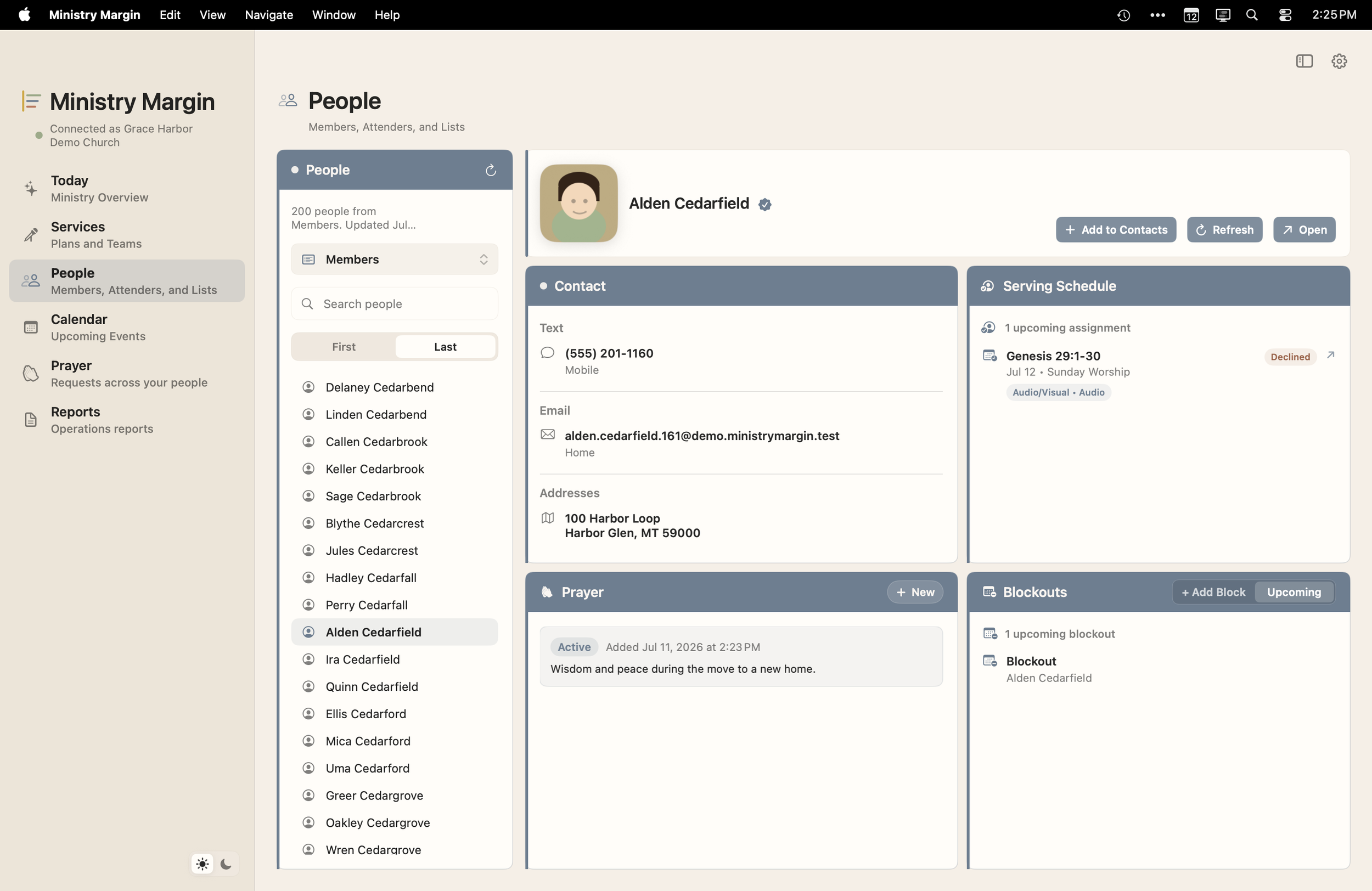
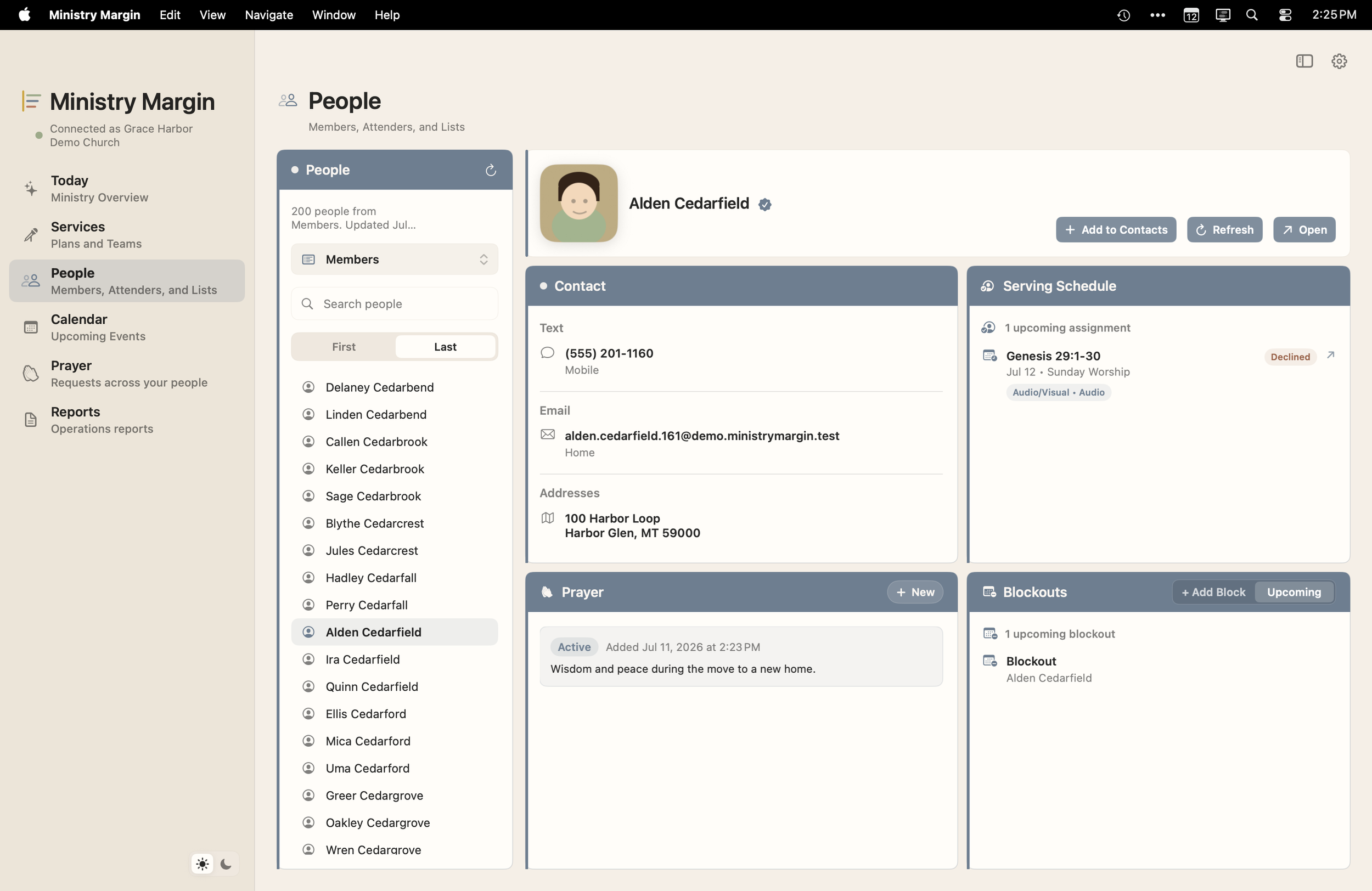
Contact details, serving context, addresses, blockouts, local People lists, Add to Contacts, Messages, Mail, Maps, and person-linked prayer.
Calendar
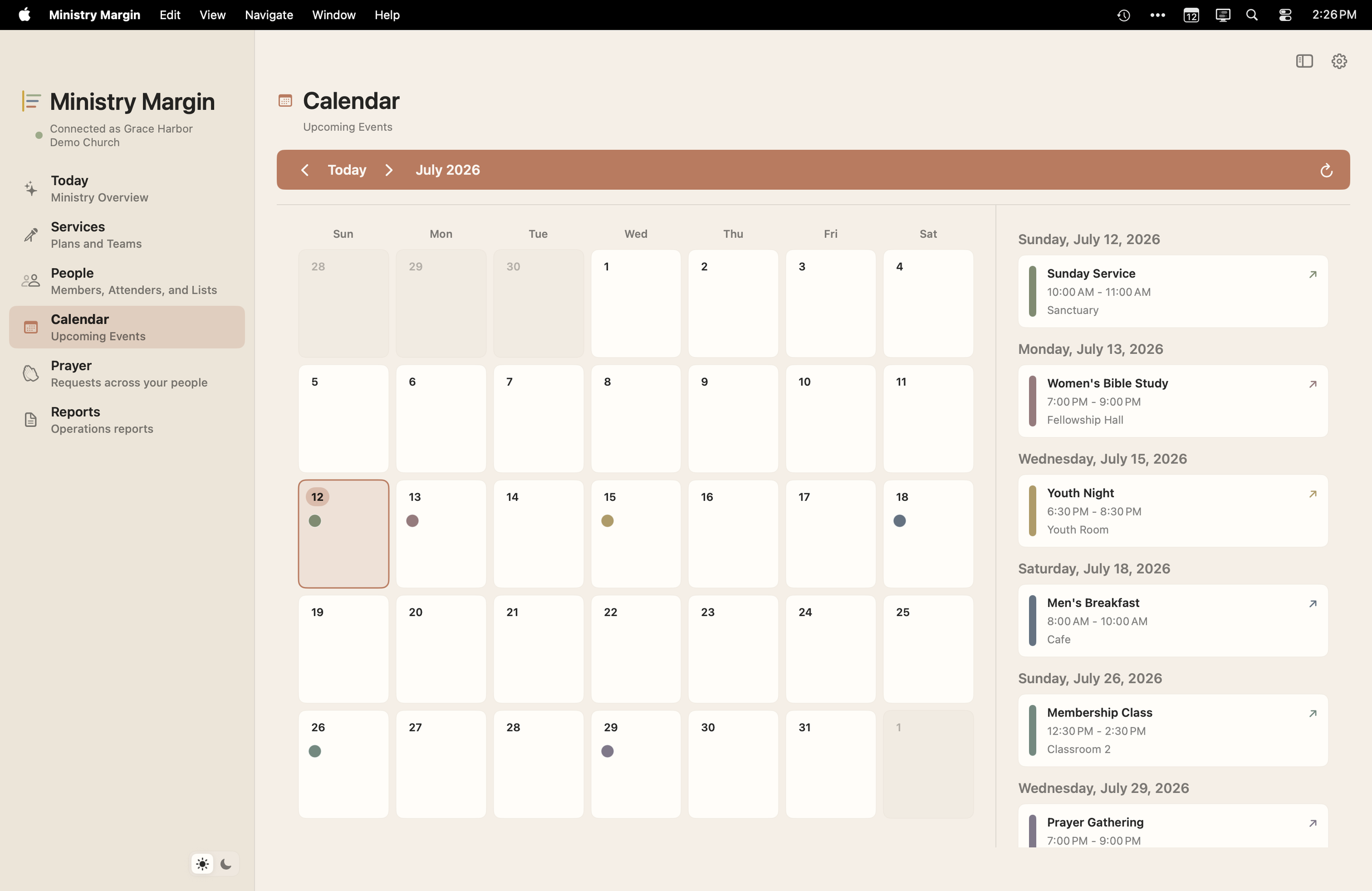
Upcoming church events, color-coded automatically, with calendar events and registrations brought together so you can see the rhythms of ministry events every place they're happening.
Reports
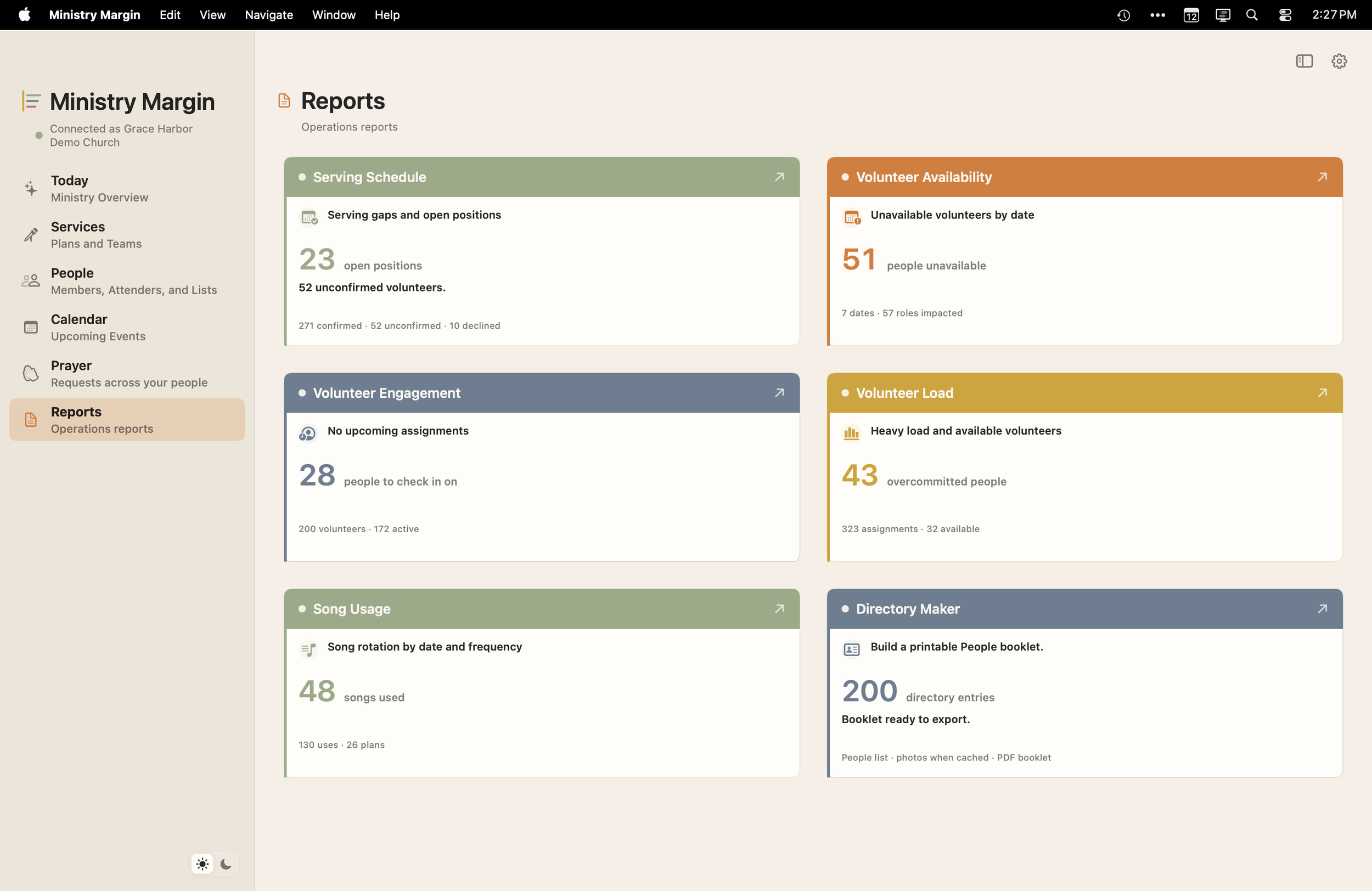
Volunteer availability, scheduling pressure, song usage, church directory, and practical planning reports.
Prayer
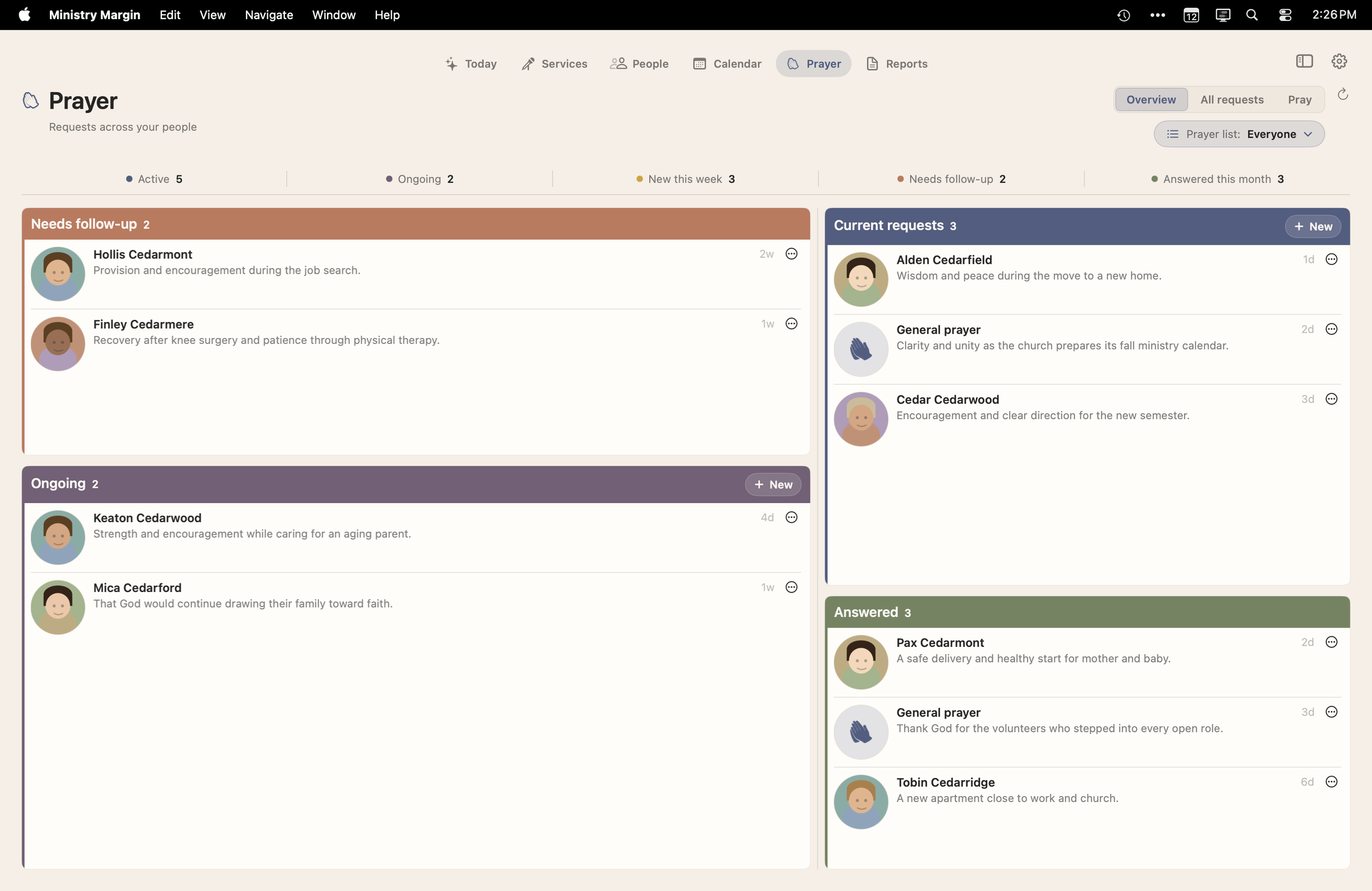
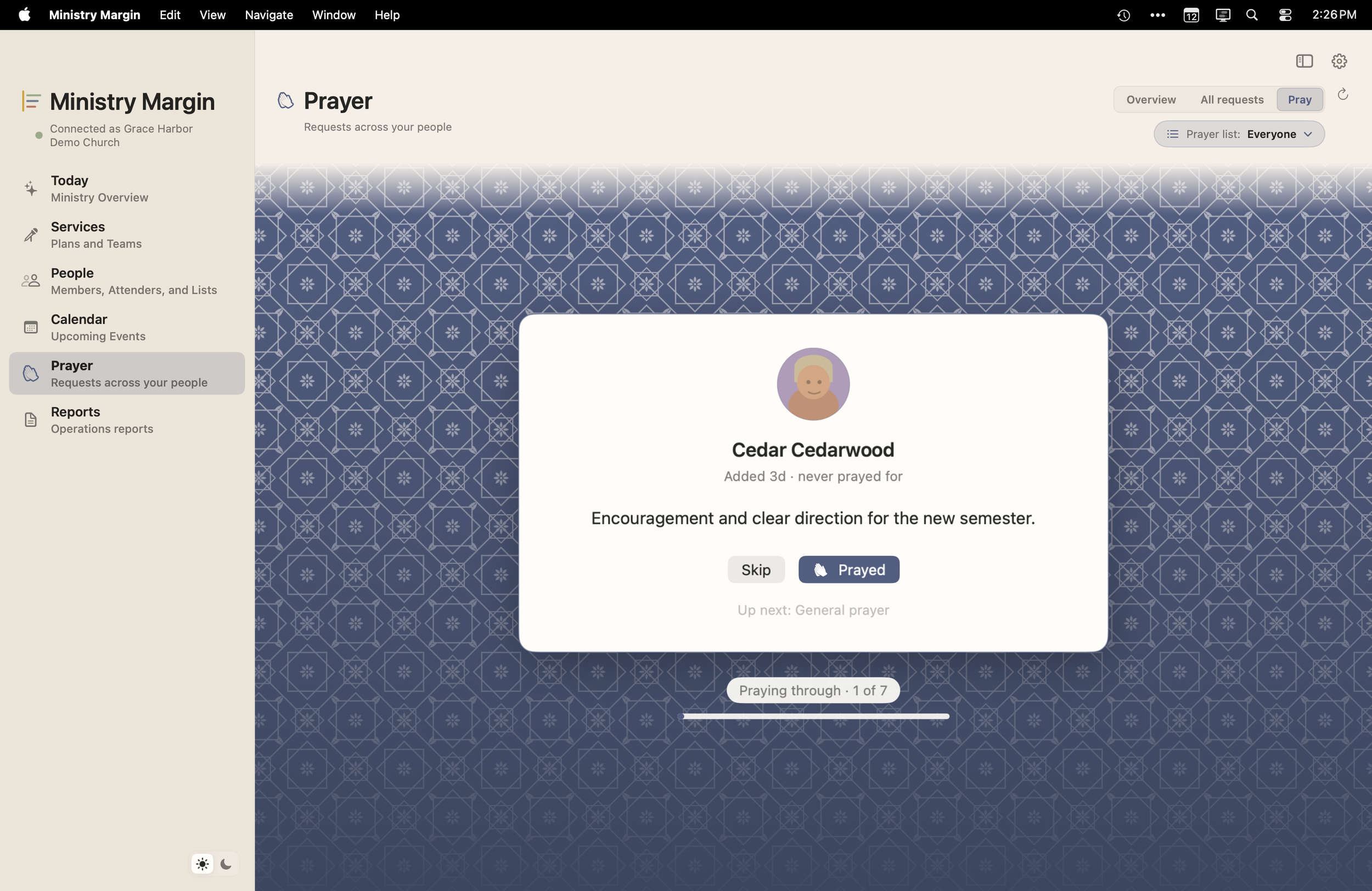
General requests, short-term needs, long-term requests, answered prayers, and private iCloud sync with the Ministry Margin Directory iPhone app.
Ministry Margin Directory.
Ministry Margin Directory is the focused iPhone app for people, contact, and prayer away from your desk. Finally, your church members are just a tap away.
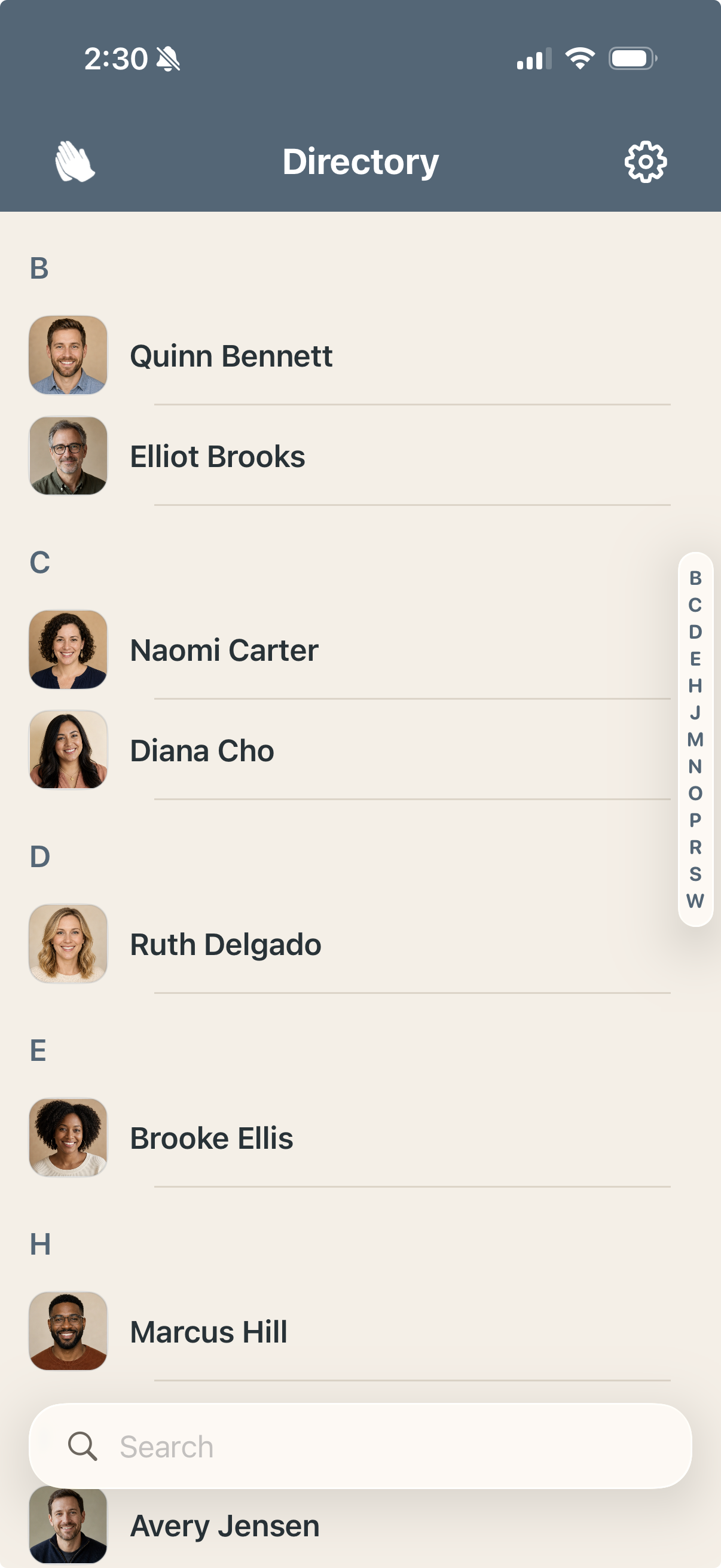
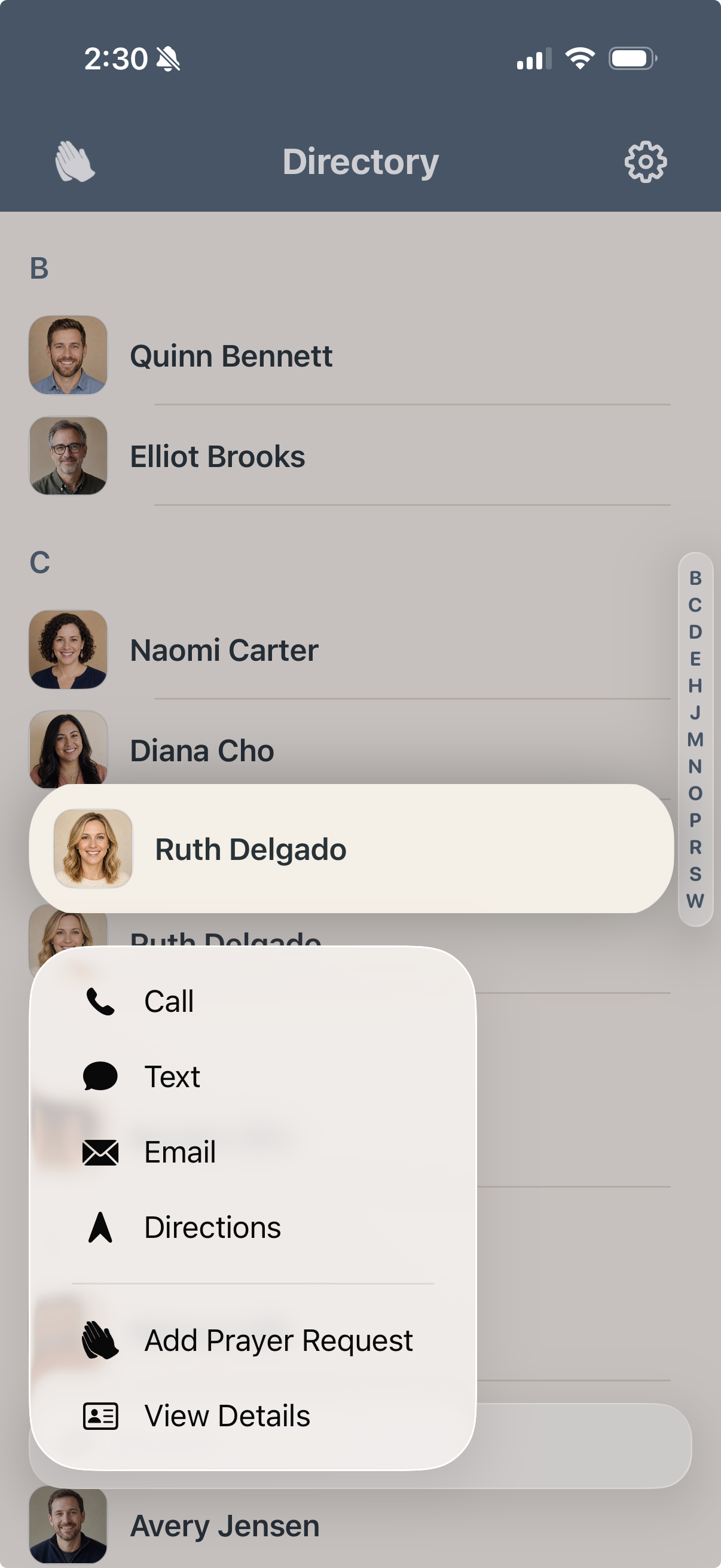
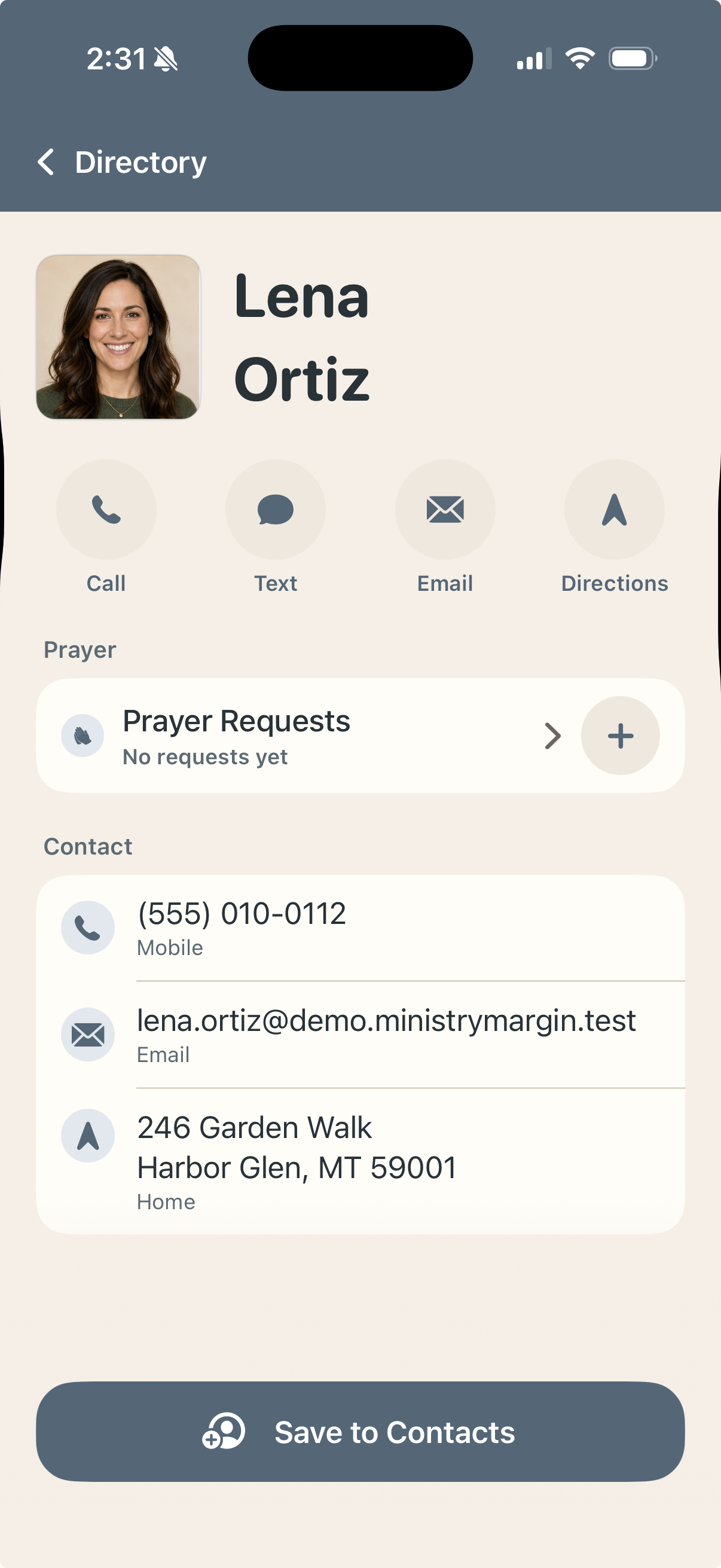
Choose a Planning Center People list, keep it available on your iPhone, search by name, open a person's profile, and take the next step: call, text, email, open directions, save to Apple Contacts, or add a private prayer request.
A focused people list
Choose one Planning Center People list and keep it cached on your iPhone so it is ready when you need it. We recommend using your church membership list.
Instant search
Search by name and open the right person without navigating through a full database interface.
One-tap contact actions
Call, text, email, or open directions from a person's profile.
Save contact info to Apple Contacts
Tap a person's profile. Tap Save to Contacts. Done.
Prayer away from your desk
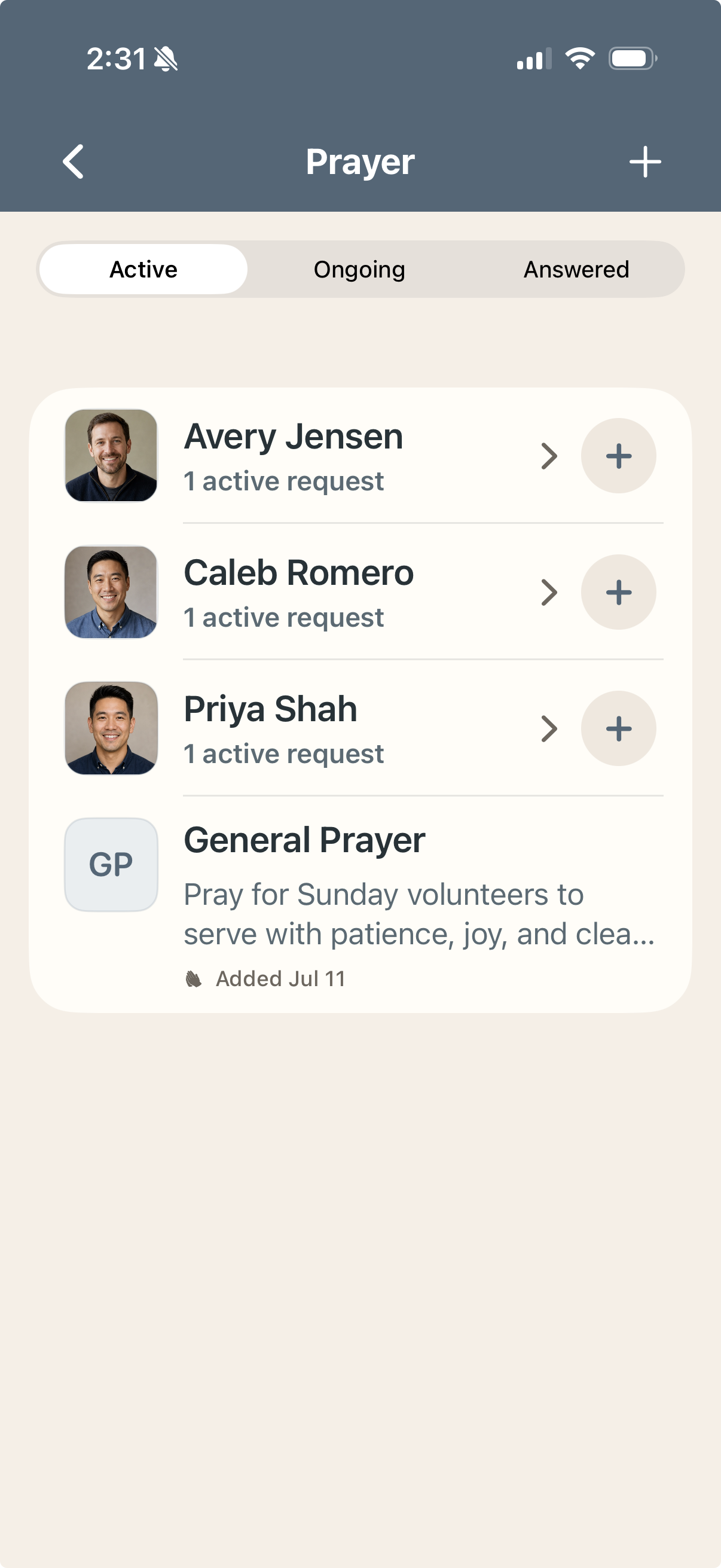
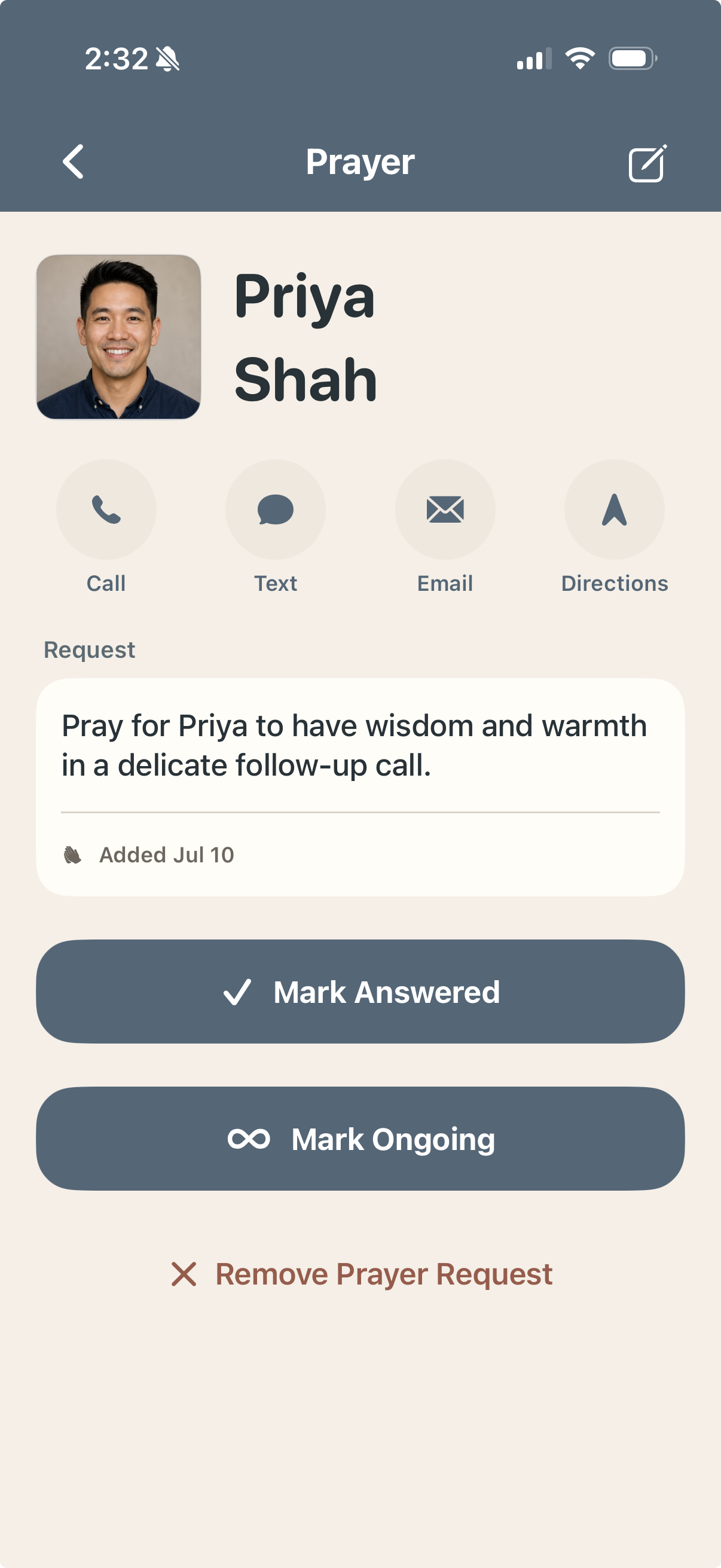
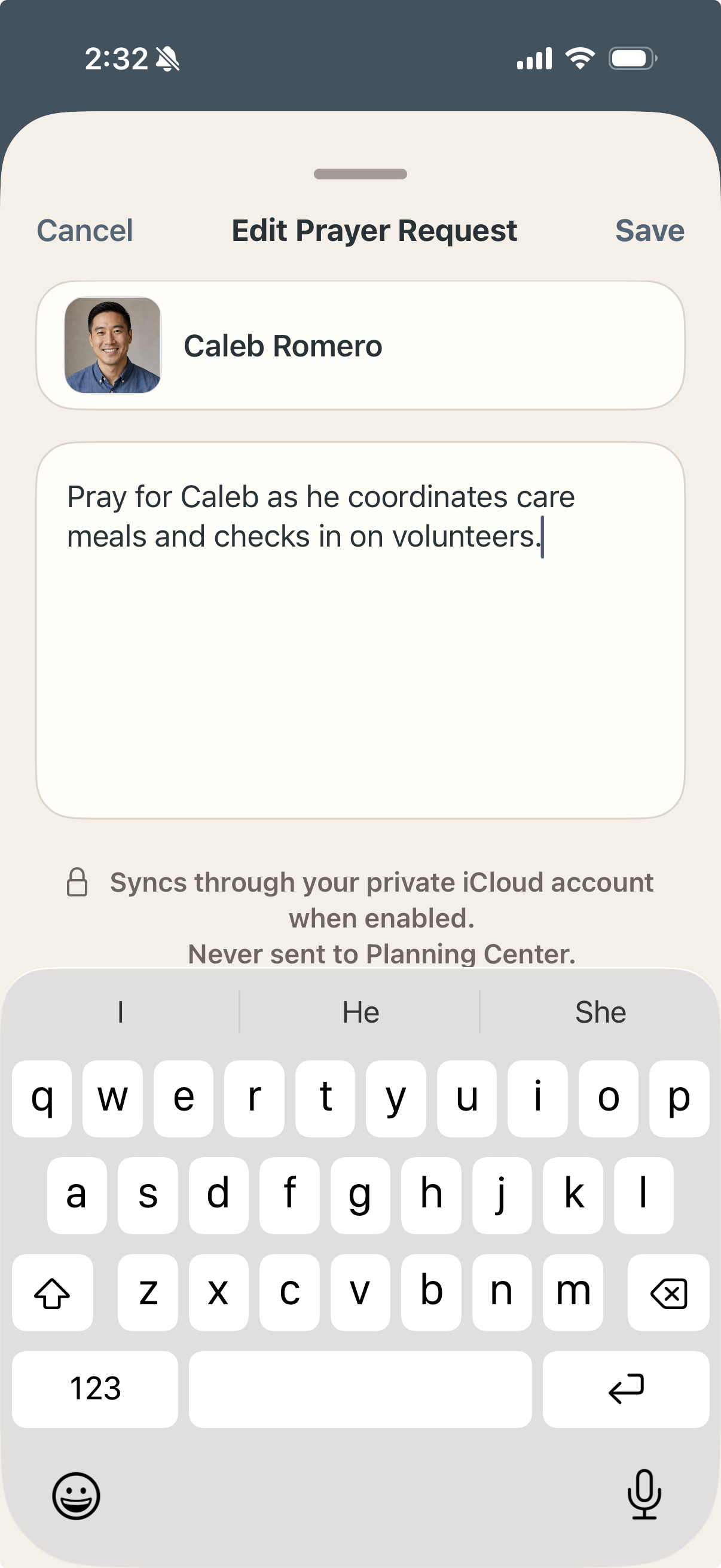
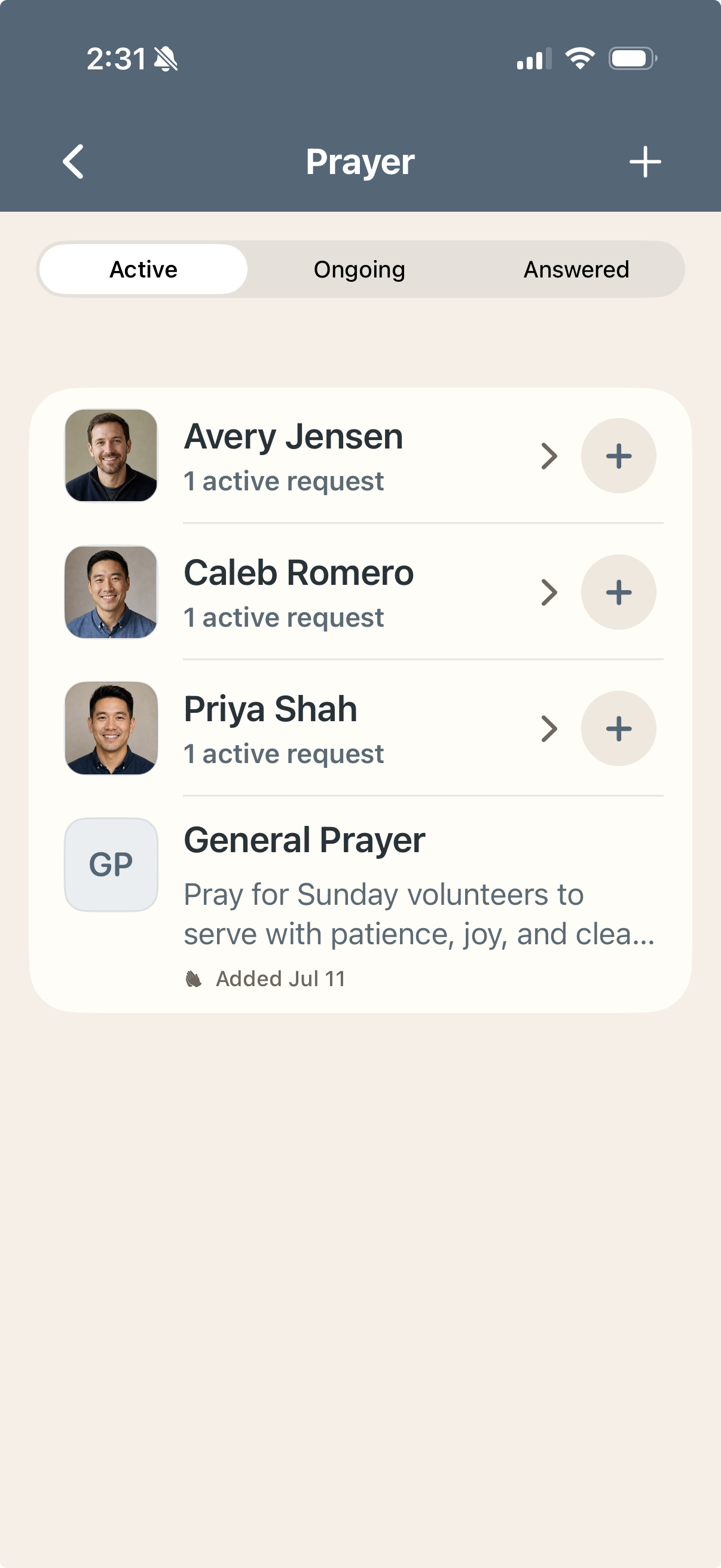
Create and review private prayer requests connected to people in your directory. If you use both apps, prayer requests in Ministry Margin Directory can sync privately through iCloud to Ministry Margin on Mac.
Prayer keeps ministry personal.
Prayer requests often live somewhere else: a note, a spreadsheet, a text thread, a conversation, or someone's memory. Ministry Margin keeps prayer connected to the people in your care, so follow-up stays tied to an actual name, family, and story.
Connected to people
Attach prayer requests to people so care and follow-up stay grounded in real relationships.
Private by design
Prayer requests stay in Ministry Margin. They are not written back to Planning Center.
Local or iCloud sync
With iCloud Sync off, prayer requests stay on the device where you create them. With iCloud Sync on, they sync through your private iCloud account.
Remember the need, pray faithfully, and follow up with quick actions.
Built carefully, because ministry data is sensitive.
Church data is people data. Your church's records represent members, volunteers, guests, families, prayer needs, schedules, real ministry relationships, and sensitive situations. Ministry Margin is designed to work with that data carefully.
OAuth sign-in
You sign in with Planning Center using your own account. Ministry Margin works with the data that account is allowed to access.
Your permissions are the permissions
What you can see in Ministry Margin depends on the permissions your church or organization has already given you in Planning Center. Ministry Margin does not grant broader access than your Planning Center account already has.
No middleman server for data or Prayer requests
Ministry Margin does not collect your church data on Ministry Margin servers. The apps connect directly to Planning Center using your account permissions, store the data they need on your devices, and only use iCloud for prayer sync when you turn it on.
If something does not appear in Ministry Margin, first check whether your Planning Center account has permission to see it and whether your church subscribes to that Planning Center product.
Tools for the work behind the work.
The sermon gets preached on Sunday, but someone planned the service. Someone checked the volunteers. Someone followed up with the family. Someone remembered the prayer request. Someone reviewed the calendar. Someone noticed the empty slot.
Ministry Margin is built by a Pastor for that work because administrative friction can quietly consume the time and attention leaders need for the gospel work that matters most.
Software cannot preach the Word, pray with the hurting, disciple a new believer, shepherd a church, or make wise pastoral decisions. But better tools can reduce the administrative drag around that work.
Look for more tools across more platforms in the months ahead.